Intro to Pega API

Mar 20, 2023

Pega API is one of the less used functionality by Pega Developers. In Pega tutorial, you will learn what are Pega APIs. You will get ways to see entire Pega API list and how to access these APIs


What are Pega APIs?

  • Pega APIs are Pega platform REST/JSON based built-in, ready to use, standard set of services used to expose a Pega application as a service.
  • Standard HTTP methods (get, post, put etc) are used to call Pega APIs
  • Pega API facilitates faster implementation of Pega-powered client and mobile applications
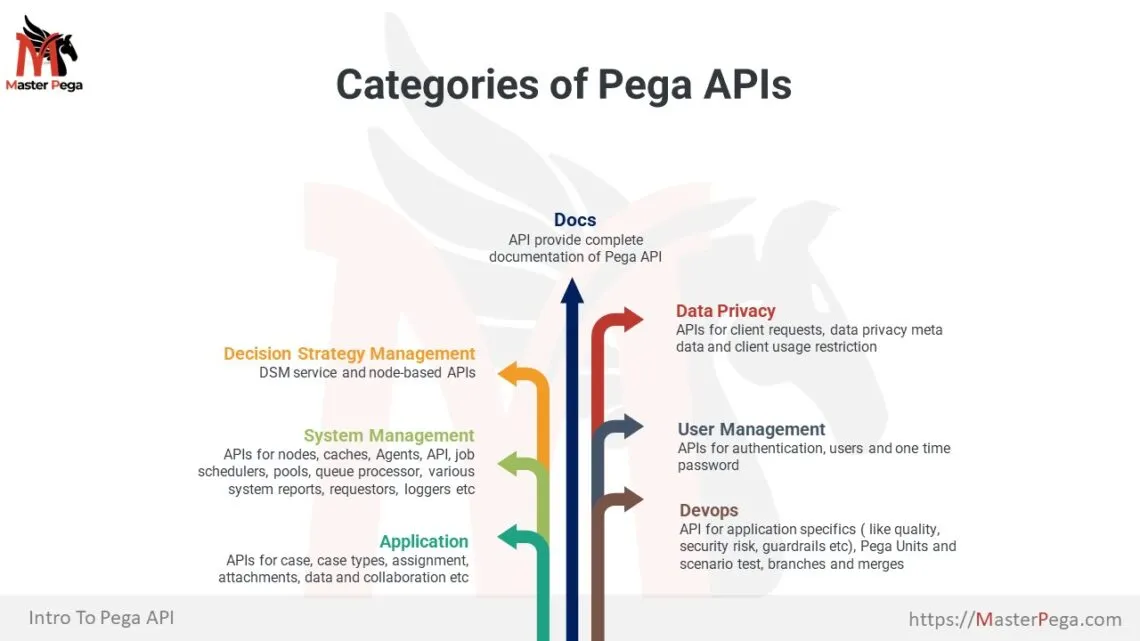
  • Pega API are groups in distinct categories and covers all aspects of the application like cases, assignments, data, administration and so on.
  • User credentials and TLS/SSL prevents unauthorized access to a Pega API.

Different Types of Pega APIs


How to access Pega APIs

Where to find list of Pega APIs?

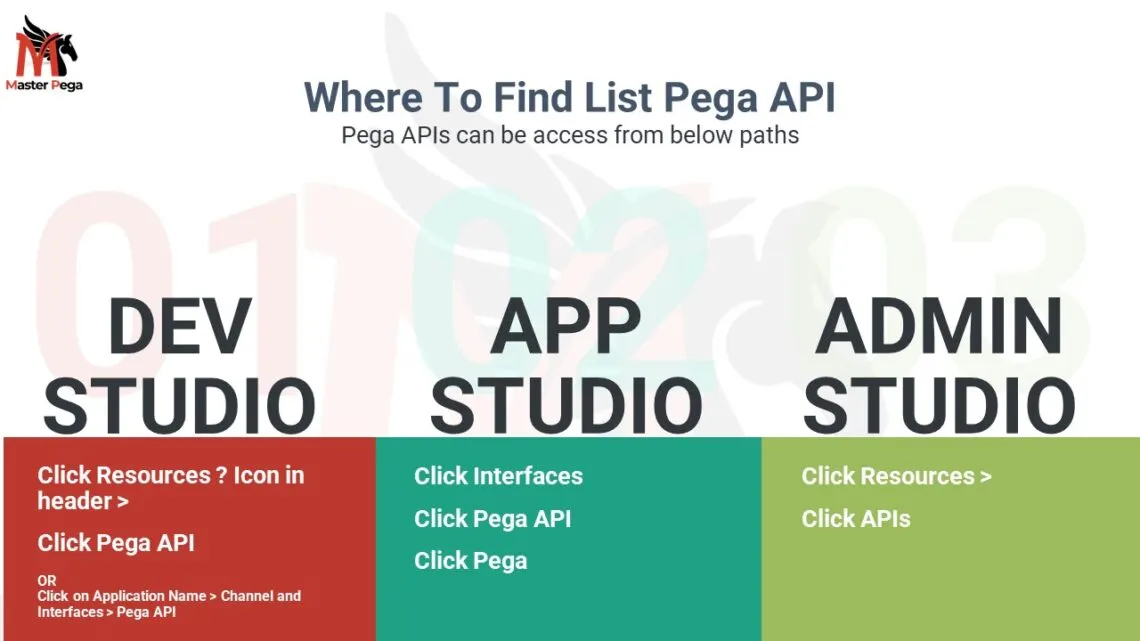
There are three ways you can browse the list of Pega API – App Studio, Dev Studio and Admin Studio. 
Below are the steps to browse Pega API from each studio

Browse Pega API from Dev studio

You can access Pega API from dev studio in two ways.

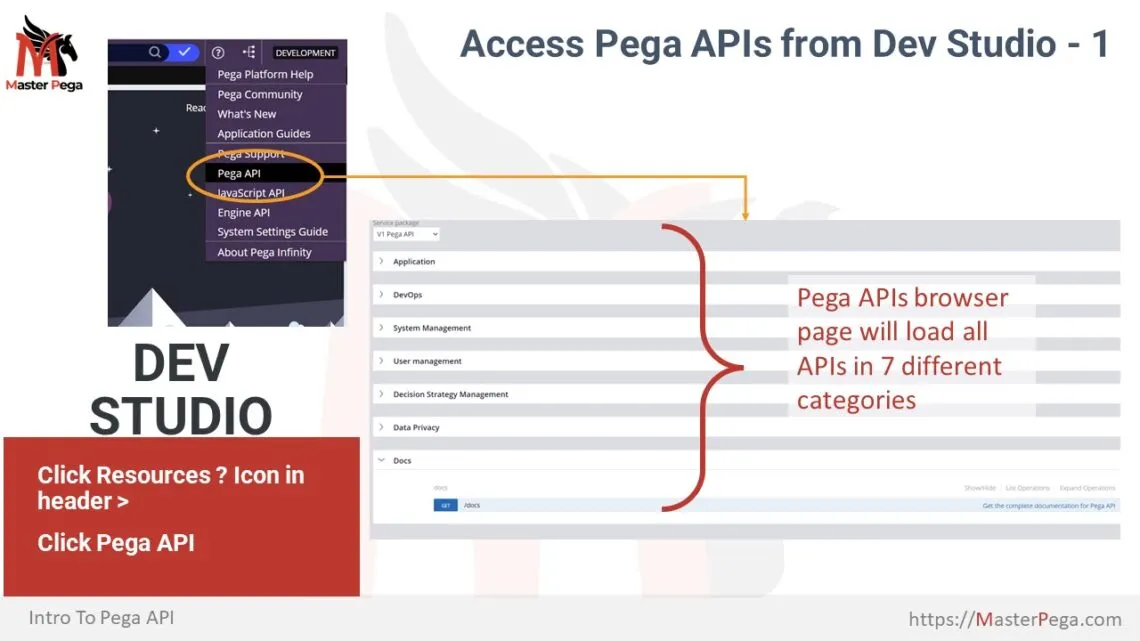
Access API From Resource menu

  • On Right hand side of the header, Click on Resources (? icon) menu
  • Click on Pega API

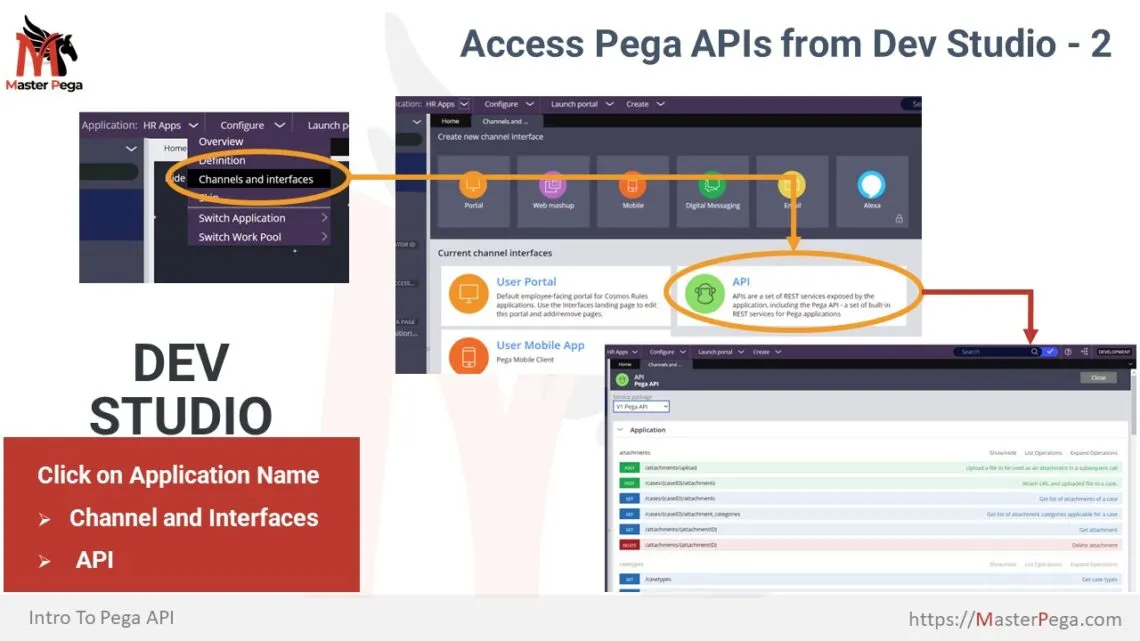
Access API From Channel & Interfaces

  • Click on Application Menu (Application Name in keft side of Header)
  • Click on Channel and Interfaces
  • Under heading “Current Channel Interfaces” click on


Browse Pega API from App Studio

  • Switch to App Studio
  • On Left navigation click on Channels. 
  • Under heading “Current Channel Interfaces” click on “API“

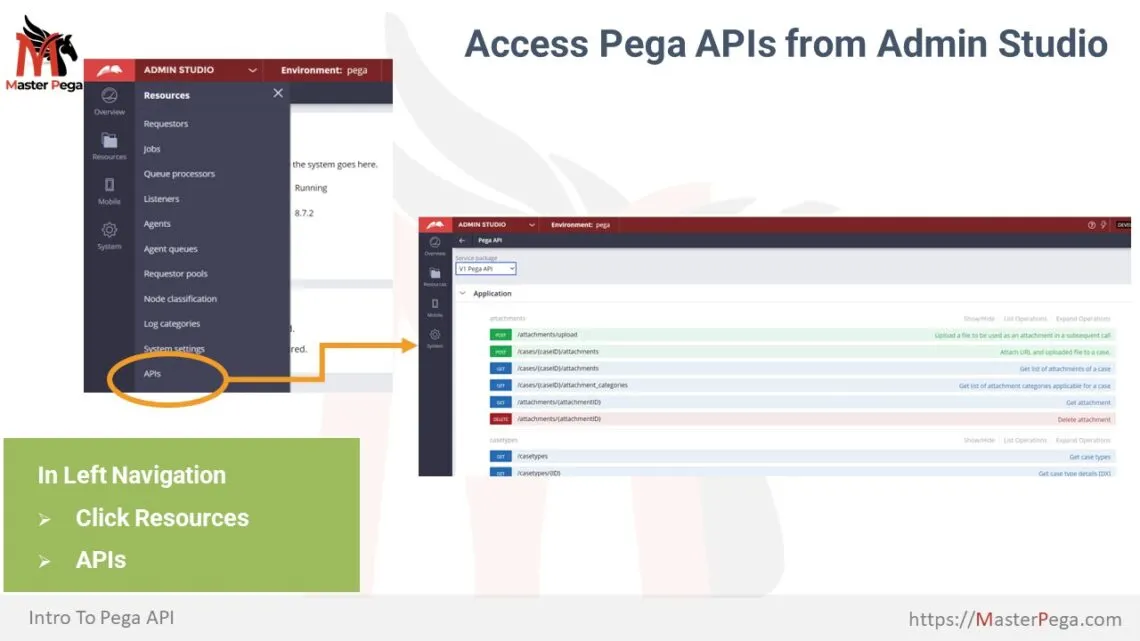
Browse Pega API from Admin Studio

  • Switch to Admin Studio.
  • From left side navigation click on Resources. A navigation menu will appear.
  • From the menu click on APIs.

To Access the API below are the prerequisite

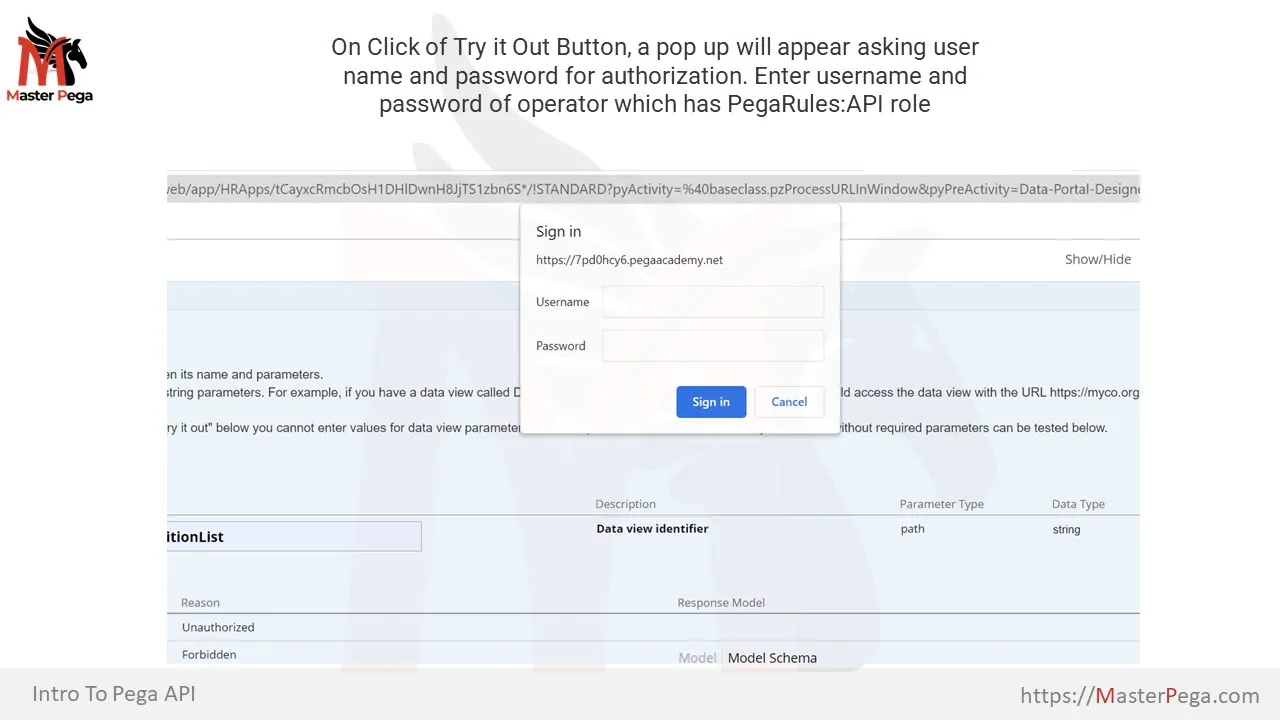
  • The Operators must have PegaRULES:PegaAPI role in their access group.
  • To use System Management API there are various privileges required in the role. Below are the two built in roles which provide required privileges for System management API.
  • PegaRULES:SysOpsAdministrator role – contains all of the administrator privileges.
  • PegaRULES:SysOpsObserver role contains all of the observer privileges.

Refer below URL to find out list of privileges for system management API

https://docs.pega.com/data-management-and-integration/87/pega-api-system-management-privileges

What info you can see for an API on API browser Page?

The Pega API browser page will show you below information

  • Grouping of API into categories and sub-categories.
  • List of All the APIs available.
  • Show/hide, List and Expand operations link for a Sub-category
    • Show/Hide will show or hide all the APIs under sub-category
    • List will show below info for APIs
      • Http method of an API like get, post, put etc.
      • relative URL Path of the API.
      • Purpose of API.
    • Expand operations will show details of all the API under a sub category
  • On Click on an API or on click of expand  operations below information is available
    •  Implementation notes
    • Response class
      • This will show when this API gets a request, in response what fields are sent to the requestor system.
      • It include Model and Model Schema (Explained Below)
    • Parameters of an API
      • Parameter Name
      • Value (this is input for the API)
      • Description
      • Parameter Type
      • Data Type
      • Parameter content type
    • Response messages – this include API failure response messages:
      • Http code of response
      • Reason 
      • Response model – it includes
        • Model
        • Model Schema
    • Try out button
      • It enables you to test the API within Pega platform
    • Response content type – It can be
      • text/plain
      • text/html
      • application/json

What is difference between Model and Model Schema view of response Pega API Details?

Model shows the  data field, data type and mandatory or optional validation of the response. In short it represent the Data model of the response

Model Schema shows the JSON message representation of the Model. This represent the sample of the actual response message that will be sent as part of response.

How to test a Pega API on API browser Page?


There are two approaches to test the Pega APIs:

  1.  Test the API within Pega Platform using “Test it out” button on the API in Pega API browser Page
  2. Use 3rd party tools like SOAP UI or Postman
As part of this tutorial we will demo using Pega Platform itself.


Info about this demo

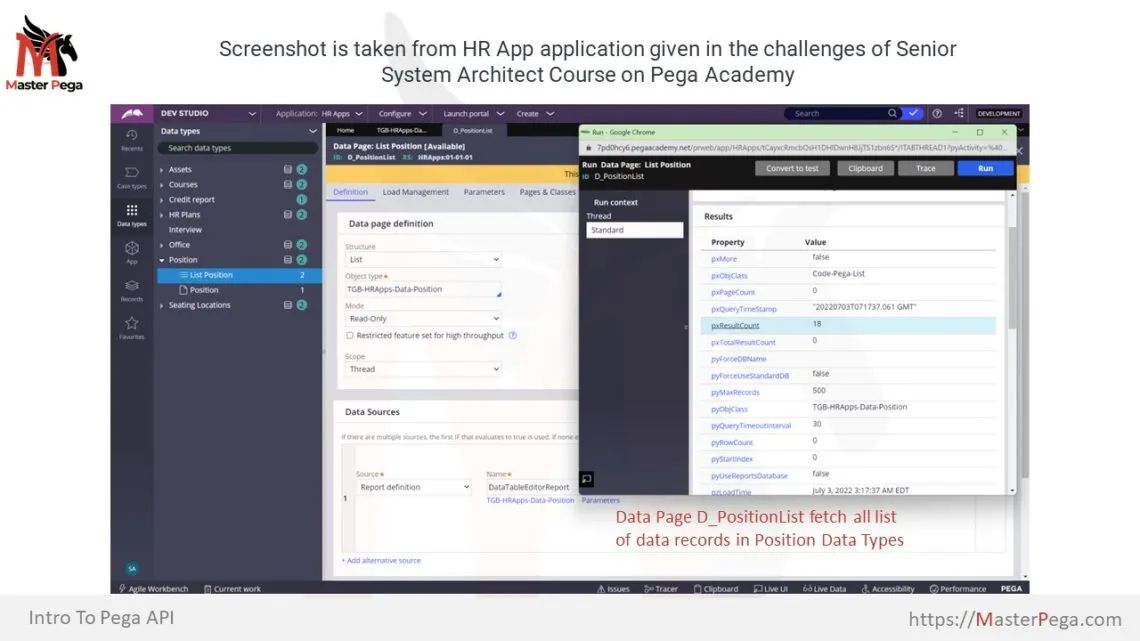
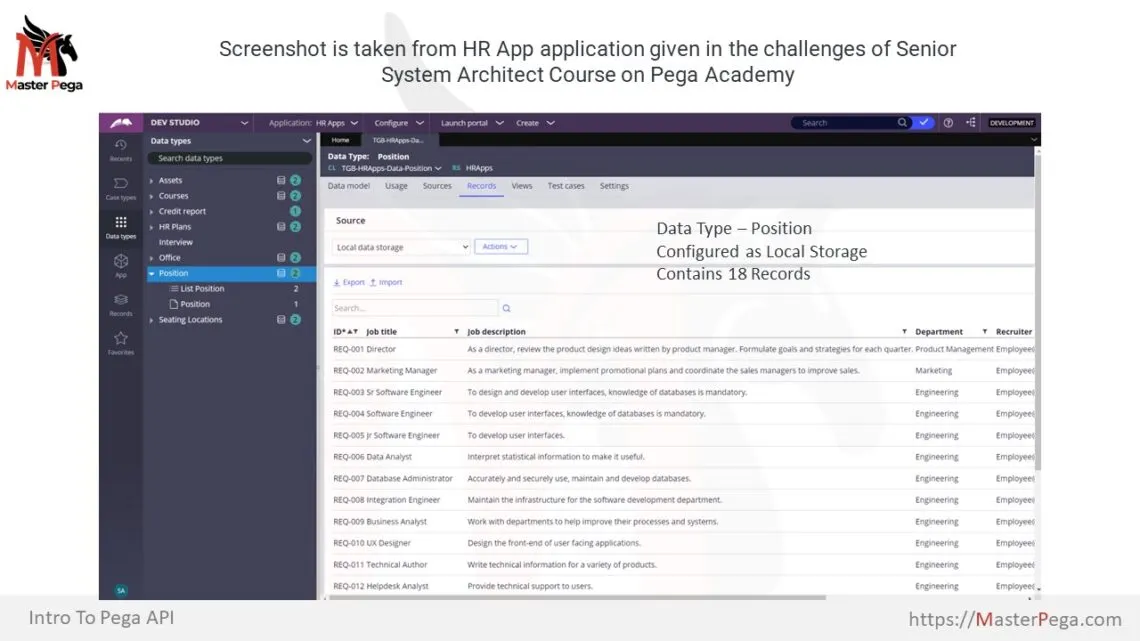
For this demo, we are using Pega Platform instance given in Senior system architect course > Skimming a ruleset challenge, on Pega Academy. Senior system architect course is demonstration HR APP application. HR App has candidate case type for onboarding new employee. This application has few Data Types.
One of the Data Type is Position. 
This data type has local storage which holds various Positions as reference data.

Steps to test Pega API

  1. Open Pega API page from any of the portal as mentioned above, for this demo we are using dev portal to open the Pega API list.
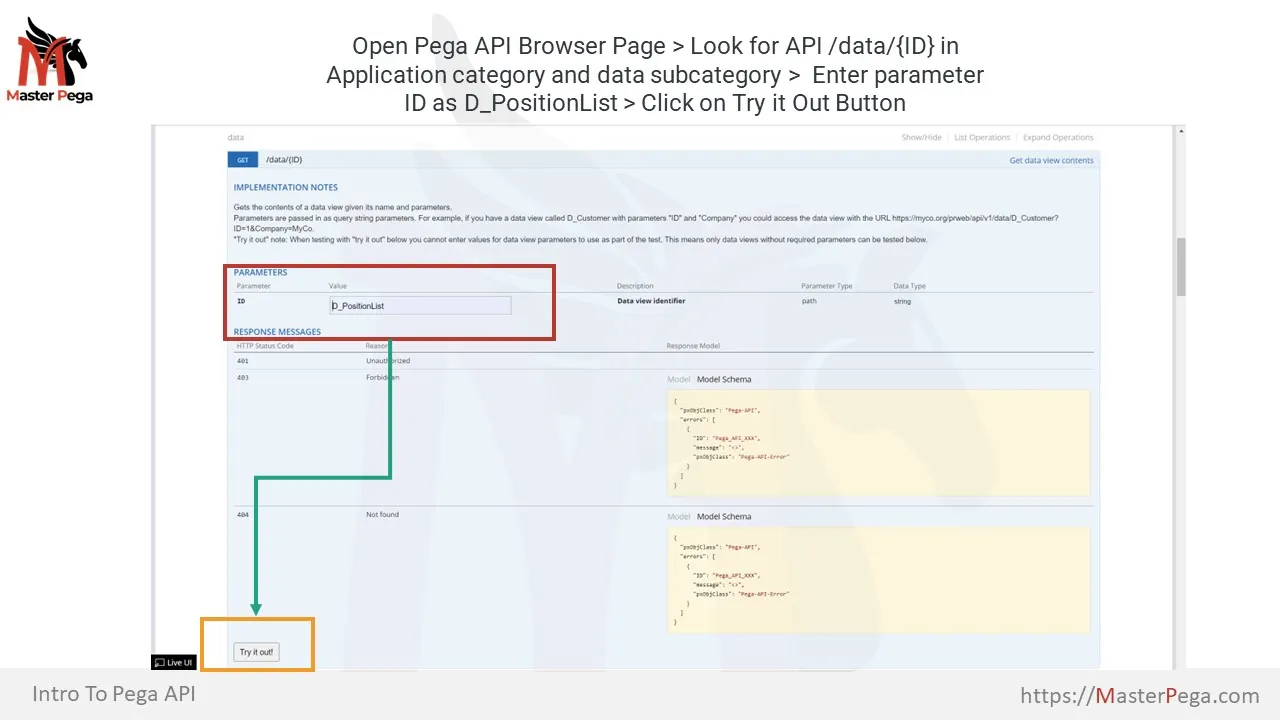
  2.  Go to Application Category > data subcategory
  3. Click on /Data/{id} API. This will expand the API Info.
  4. Implementation notes show you usage of this API and how to fill parameter details.
  5. For this API “ID” is the parameter and we need to pass name of data page in it.
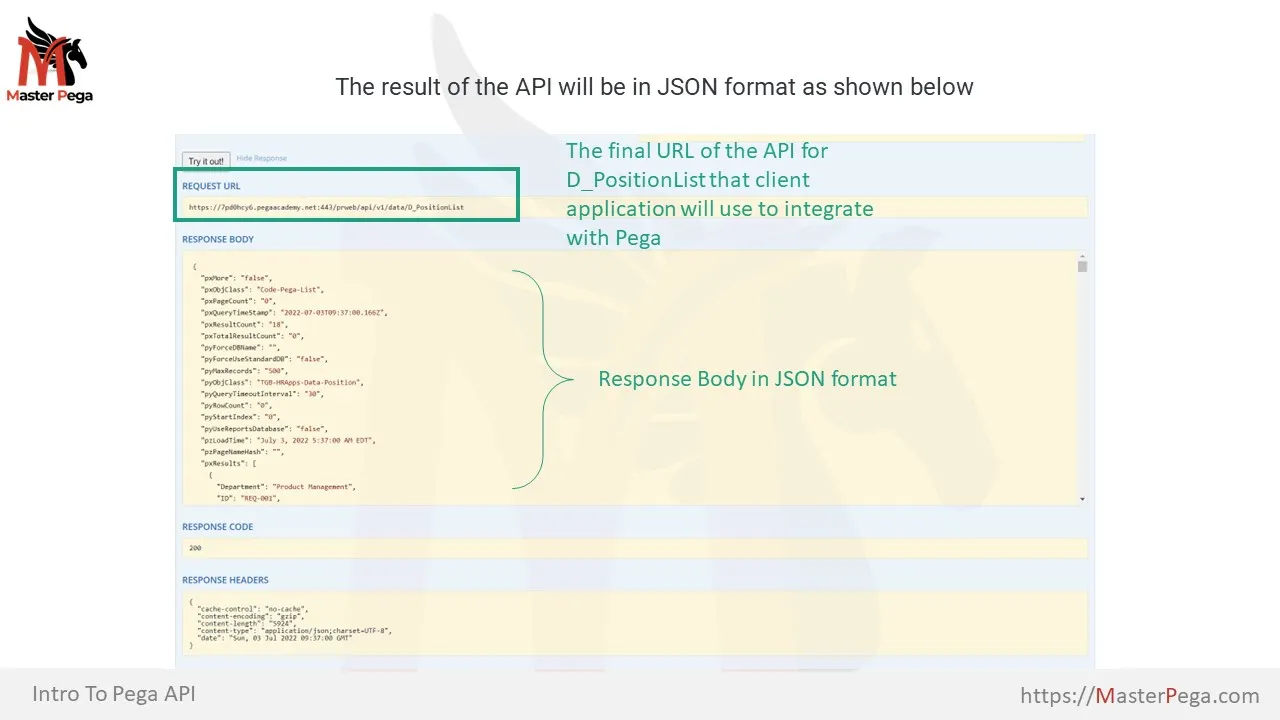
  6.  Type D_PositionList as parameter and hit “Test it out” button.
  7. Verify the results – we can see the JSON format results which contains all list of records fetched by the data page.

This Blog is not Live yet
In order to customize this blog please change its status to Live